Vidu Q4AI video generator

Turn a still into a scene. Vidu Q4 Preview animates your images with dialogue, sound and its own camera cuts.

Make a Vidu Q4 video

Add an image, write what happens, pick a length. The exact cost is on the button before you render, and a failed video costs nothing.

Length

05sec

3s16s

Resolution

What you can make with Vidu Q4

Every clip below was made on this site with the exact prompt shown. Play one and watch the script light up line by line, then load it into the editor.

  1. Dialogue and emotion

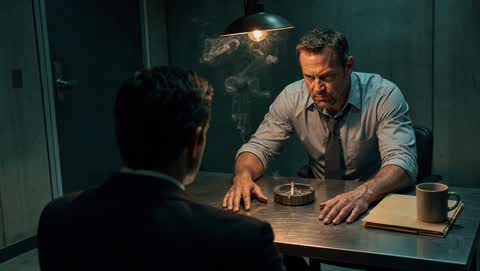
    A shouted line, real anger and a camera that pushes in to the eyes. Lip-synced, with sound, from one photo.

    INT. INTERROGATION ROOM - NIGHT

    The detective slams both hands on the table and the swinging lamp throws moving shadows across his face. He shouts: "Where were you that night?!" The camera pushes in fast to an extreme close-up of his eyes. The suspect flinches. The bang of the table, the creak of the swinging lamp, heavy breathing.

  2. Two-character scene

    Two characters and a location from separate images: a standoff, a line of dialogue, then the clash. Faces stay consistent across the cut.

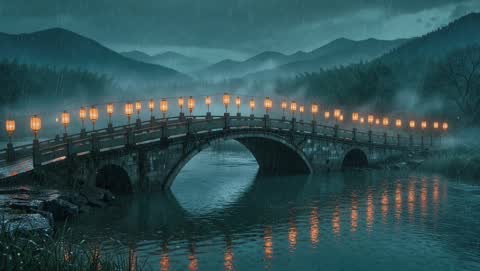
    EXT. STONE BRIDGE - RAIN

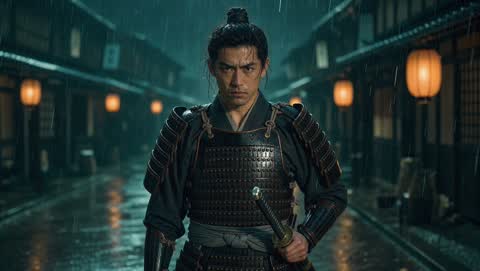
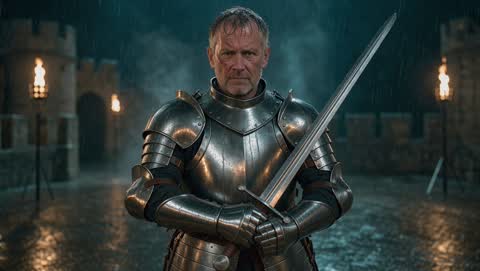
    In @3, @1 and @2 face each other in the middle of the bridge in the pouring rain, lanterns swaying. @2 raises his sword and says: "Only one of us leaves this bridge." @1 draws his katana. They charge and their blades clash in a burst of sparks. Cut to a slow-motion close-up of the crossed blades with rain bouncing off the steel. Thunder, rain, the ring of steel on steel.

  3. Creature chase

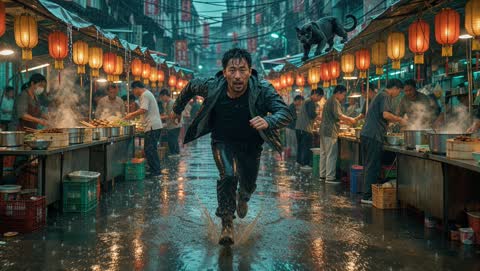
    Animals and action in one shot: the panther leaps, lanterns burst into sparks, and the camera whips around to follow.

    EXT. NIGHT MARKET - RAIN

    The black panther leaps off the stall roof and crashes through the lanterns, which burst into showers of sparks. The man glances back in terror and sprints faster, splashing through puddles as stalls topple behind him. The camera whips around to follow the panther, then cuts to a low close-up of its snarling face as it lands. Heavy rain, a deep animal roar, crashing wood, people screaming.

  4. Visual effects

    Frozen rain, a 360° orbit and a shockwave: effects that react to the light and the space around them.

    EXT. CITY STREET - NIGHT

    She snaps her fingers and every raindrop freezes in mid-air, glittering in the lamplight. The camera makes a slow 360-degree orbit around her through the frozen rain. She sweeps her hand outward and all the drops blast away from her in a shockwave, shattering the puddles. A sharp finger snap, sudden silence with a low hum, then a deep whoosh and a crash of water.

  • Product shot

    IMG 6s

    Turn a packshot into a slow-motion ad: a crown of water, light streaks and an orbiting camera.

    The sneaker slams down into the puddle in slow motion, throwing up a perfect crown of water that catches the amber light. Light streaks race past in the background as the camera orbits around the shoe. A deep bass hit, the splash, then a whoosh.

  • Fight sequence

    IMG 8s

    Fights and stunts stay fluid: a spin, a block, sparks from the lamp and a hard cut to a close-up.

    She spins to block a strike from off screen and slides back across the wet roof. The lamp above her bursts into a shower of sparks. The camera whips around to follow her, then cuts to a low-angle close-up as she exhales. Heavy rain, a roll of thunder, sharp impacts.

How to use Vidu Q4

  1. Interrogation: the first frame that went in
    First frame

    Add your images

    One picture for Image to Video: it becomes the first frame. Or up to 12 reference images of characters, outfits, products and places for Reference to Video.

  2. INT. INTERROGATION ROOM - NIGHT

    The detective slams both hands on the table and the swinging lamp throws moving shadows across his face. He shouts: "Where were you that night?!" The camera pushes in fast to an extreme close-up of his eyes. The suspect flinches. The bang of the table, the creak of the swinging lamp, heavy breathing.

    Describe the shot

    Say who does what, what they say and how the camera moves. In Reference to Video, call your images @1, @2… Add up to three MP3 voice clips to keep a character’s voice.

  3. MP4 720p 8s, with sound

    Generate and download

    Pick a length from 3 to 16 seconds and a resolution up to 4K. Vidu Q4 renders the video with sound, and you download an MP4 from My videos.

Vidu Q4 modes: Image vs Reference

Vidu Q4 Preview has two ways in. Image to Video brings one picture to life; Reference to Video builds a new scene around the people and things in your images. Both cost the same per second.

One image, used as the first frame1 image = first frame

Image to Video

Open
Images
1, used as the first frame
Voice references
None
Prompt
Optional: empty lets the model choose
Aspect ratio
Follows your image
Best for
Animating a portrait, product or artwork
Length
3–16 s, 540p to 4K
Reference image @1@1
Reference image @2@2
Reference image @3@3

Reference to Video

Open
Images
1 to 12 references
Voice references
Up to 3 MP3s, 3–12 s each
Prompt
Required; use @1, @2…
Aspect ratio
16:9, 9:16, 1:1, 4:3, 3:4
Best for
Multi-character scenes, ads, short drama
Length
3–16 s, 540p to 4K

Vidu Q4 Preview at a glance

Released
October 7, 2026 (public preview)
Modes
Image to Video, Reference to Video
Inputs
Up to 12 images + 3 voice clips
Length
3 to 16 seconds
Resolution
540p, 720p, 1080p, 2K, 4K
Sound
Dialogue and effects, made with the picture

Text-to-video is not part of Vidu Q4 Preview. Every video starts from an image.

Vidu Q4 pricing. No subscription.

Buy credits once and see the exact cost on the button before every video. Credits last 12 months, nothing renews, and failed videos are refunded automatically.

First time? Start here

Try Vidu Q4 for real

  • 300 credits, one-time, no subscription
  • 3 five-second videos at 720p
  • Or 6 five-second videos at 540p
  • Failed videos refunded automatically

$2.99one-time

Starter

$4.90
one-time

Try a few videos

  • 500 credits
  • About 5 videos at 720p (5s)
  • Or 10 at 540p, 4 at 1080p
  • Credits last 12 months
+11% credits

Creator

$9.90
one-time

For a weekend project

  • 1,100 credits
  • About 11 videos at 720p (5s)
  • Or 22 at 540p, 8 at 1080p
  • Credits last 12 months
+16% credits

Pro

$19.90
one-time

For regular creators

  • 2,300 credits
  • About 23 videos at 720p (5s)
  • Or 46 at 540p, 18 at 1080p
  • Credits last 12 months
+20% credits

Studio

$39.90
one-time

For client and ad work

  • 4,800 credits
  • About 48 videos at 720p (5s)
  • Or 96 at 540p, 38 at 1080p
  • Credits last 12 months
Compare all credit packs

What is Vidu Q4?

Vidu Q4 is the next flagship video model from Vidu, the AI video platform of Beijing-based ShengShu Technology. Its first public release, Vidu Q4 Preview, launched on October 7, 2026, ahead of the full Q4 model, so creators can use it on real projects while the final version is still being shaped.

Where earlier Vidu models focused on smooth motion, Vidu Q4 is built for performances: facial expression, emotion, body movement and voice are generated together, and the model plans its own camera moves and cuts across a shot. Audio comes out with the picture: dialogue and sound effects, not a silent clip you have to score later.

Slatecraft is an independent website that runs Vidu Q4 Preview through Vidu’s official API. You pay only for the seconds you generate, see the cost before you press Generate, and get your credits back automatically if a video fails.

Vidu Q4 Preview vs Vidu Q3

Vidu Q3 added text-to-video and 16-second clips with sound. Vidu Q4 Preview keeps the 16-second length and the sound, raises the ceiling to 2K and 4K output with 10-bit color, and takes far more reference material: up to 15 images and 3 voice clips in one request, so a multi-character scene can stay consistent from shot to shot.

The trade-off is that Q4 Preview starts from images. There is no text-to-video mode in this release; if you only have an idea, create or pick a reference image first.

Writing prompts for Vidu Q4

Describe the performance, not just the scene: who moves, what they feel, the exact line they say and how the camera follows. “@1 leans across the table and whispers ‘we’re out of time’; slow push-in, tense” works better than “two people talking”.

Keep one action per shot for short clips, and name the camera move. For dialogue, write the line in quotes and leave sound on; for a clip you will score yourself, use Reference to Video with sound off.

Vidu Q4 FAQ

  • Vidu Q4 Preview is the first public release of Vidu Q4, the next-generation video model from ShengShu Technology’s Vidu, launched on October 7, 2026. It generates 3–16 second videos with synchronized dialogue and sound effects from one image (Image to Video) or from up to 15 reference images and 3 voice clips (Reference to Video), at up to 4K resolution.

  • Not in the Preview. Vidu Q4 Preview offers Image to Video and Reference to Video only, so every video starts from at least one image. You can still steer everything else (motion, dialogue, camera) with the prompt.

  • No. Every video runs on Vidu’s paid API. The cheapest way to try it is the trial pack: 300 credits, enough for 3 five-second 720p videos or 6 at 540p. Packs are one-time, nothing renews, and failed videos are refunded automatically.

  • No. Slatecraft is an independent service and is not affiliated with or endorsed by Vidu or ShengShu Technology. We run Vidu Q4 Preview through Vidu’s official API, with pay-per-second credits instead of a subscription.

  • You pay per second of video: 10 credits at 540p, 20 at 720p, 25 at 1080p, 40 at 2K and 80 at 4K. A 5-second 720p video costs 100 credits. The exact cost is on the Generate button before you start.

  • Usually a few minutes; longer clips and 2K/4K take longer. You can leave the page: finished videos are saved to My videos in your account.

  • Yes. With Sound on, Vidu Q4 generates dialogue and sound effects together with the picture. Put the line you want spoken in quotes in your prompt. In Reference to Video you can add up to three MP3 voice clips (3–12 seconds each) to keep a character’s voice consistent. For a silent clip, use Reference to Video and switch Sound off; Image to Video always renders sound.

  • Clear, well-lit JPG, PNG or WebP images up to 20 MB, no more elongated than 4:1. For Image to Video the picture is the first frame, so frame it the way the shot should start. For Reference to Video, one subject per image works best: a face, an outfit, a product, a location.

  • Finished videos are saved to My videos for at least 90 days. Download the ones you want to keep. Your uploaded images and voice clips are stored privately to run the generation. Videos are never published. To delete your files or your account sooner, email support@slatecraft.si from your account address.

  • Sexual content, anything involving minors, deepfakes or impersonation of real people, and images you don’t have the rights to. Our filters and Vidu’s moderation block these requests, and blocked videos are refunded automatically.

  • You can use the videos you generate from images you have the rights to, under our Terms of Service. Don’t upload photos of people without their consent, and don’t remove AI-generated labels where the law requires them.

Make your first Vidu Q4 video

Add a picture, write what happens, and hear your scene come to life in a few minutes.

Buy the trial pack $2.99